
BOM management software: what it does, why it matters, and how to choose
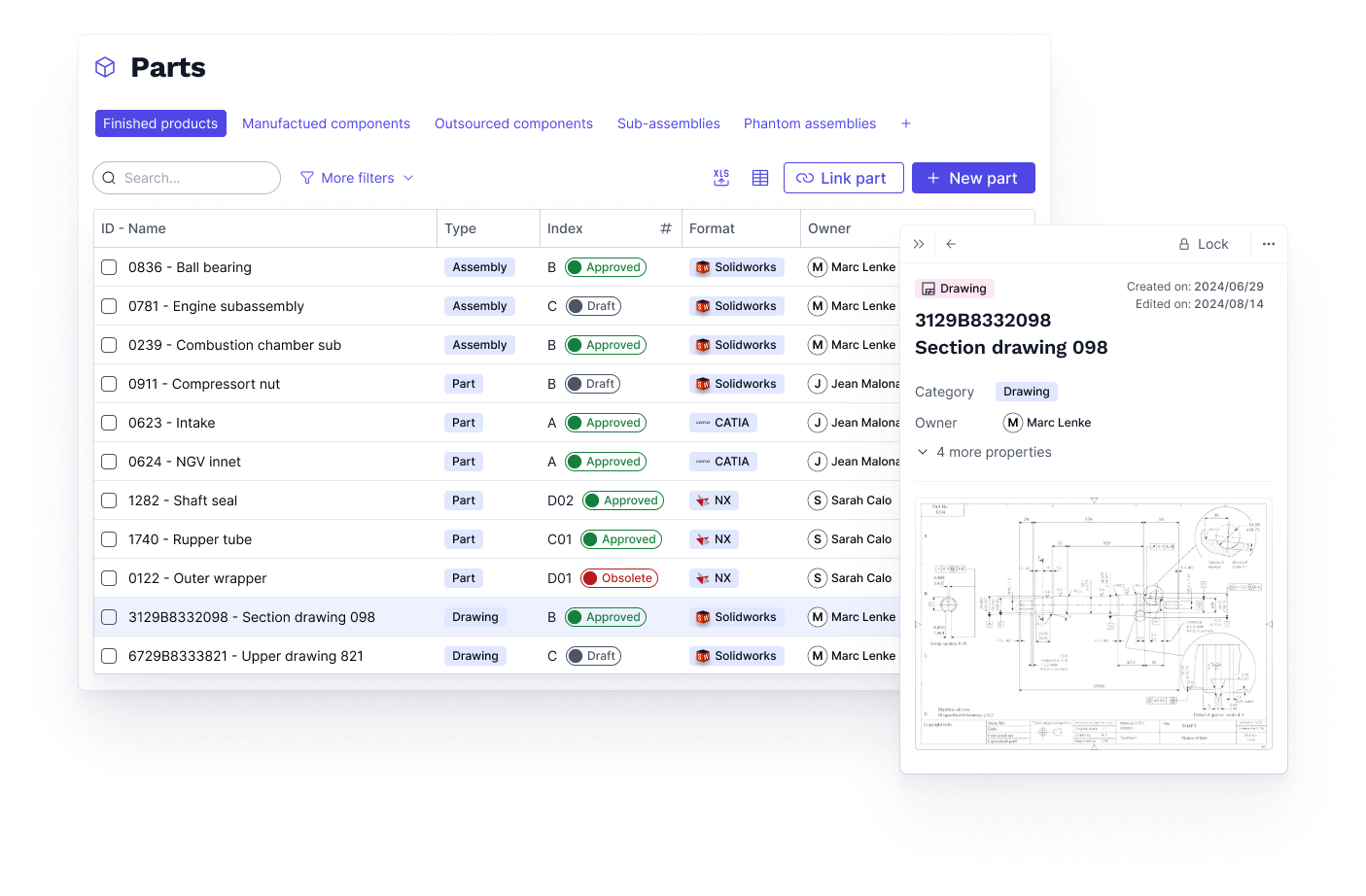
- BOM management software centralizes, structures, and governs all bill of materials data across the product lifecycle.
- EBOM and MBOM serve different purposes and must be managed as distinct but connected views of the same product.
- The main challenges are version conflicts, data silos, manual updates, and desynchronization between engineering and production.
- Key features include revision control, multi-BOM management, change management, and ERP/CAD integration.
- Standalone BOM tools manage the list; PLM-integrated BOM management connects it to revisions, changes, and manufacturing instructions.
What is BOM management software?
BOM management software is a system used to create, organize, version, and maintain product bills of materials throughout the product lifecycle. It provides a structured, governed environment for managing the hierarchical list of components, subassemblies, quantities, and relationships that define a product's composition.
A BOM evolves continuously: components are substituted, quantities change, assemblies are restructured, and design changes propagate through the hierarchy. BOM management software tracks this evolution systematically, maintaining a complete revision history and ensuring every team works from the same current version.
The scope of BOM management software varies by platform. Standalone tools focus on the BOM itself: creating structures, managing revisions, and sharing data between teams. PLM platforms extend this to the full product record: linking BOMs to CAD files, engineering changes, manufacturing instructions, and quality records in a single governed environment.
EBOM, MBOM, and why the distinction matters
Two BOM types sit at the heart of industrial product management, and understanding the difference between them is essential for evaluating any BOM management solution.
Engineering BOM (EBOM)
The EBOM is created by engineering during the design phase. It reflects how the product is designed: the components, subassemblies, and materials as defined in CAD. The EBOM is the design team's view of the product structure, organized around functional assemblies rather than manufacturing sequences.
The EBOM drives design decisions, engineering change management, and technical documentation. It is the authoritative record of what the product is supposed to be.
Manufacturing BOM (MBOM)
The MBOM is derived from the EBOM but reflects how the product is built. It reorganizes the product structure around production sequences, adds manufacturing-specific information (tooling, routing steps, packaging), and aligns with the way production and procurement operate. The MBOM is what feeds ERP systems for procurement planning and production scheduling.
Why the distinction matters
The EBOM and MBOM describe the same product from different perspectives. They must be connected — a change to the EBOM should propagate to the MBOM — but they cannot be identical, because engineering and manufacturing have different information needs.
Most spreadsheet-based BOM management collapses this distinction. Engineering and production end up maintaining separate files that drift out of sync. Design changes reach the EBOM but not the MBOM. Production builds to an outdated configuration. The defect surfaces at final inspection or, worse, in the field.
A BOM management system that governs both EBOM and MBOM as distinct but linked views of the same product eliminates this class of error entirely.
Common BOM management challenges in manufacturing
These are the operational failures that signal a BOM management problem, regardless of the tools currently in use.
Spreadsheet-based BOMs that can't scale. Excel works for simple products with a handful of components. As product complexity grows, spreadsheets become unmanageable: no version control, no access rights, no change history, and no way to link BOM data to the CAD files and documents it should be connected to.
Version conflicts between engineering and production. Engineering releases a design change. The BOM in ERP wasn't updated. Production builds to the previous configuration. The discrepancy surfaces as a non-conformity, a rework event, or a customer complaint.
Manual re-entry between systems. When the engineering BOM lives in a CAD tool and the manufacturing BOM lives in ERP, transferring data between them is manual. Every manual transfer is an opportunity for errors, omissions, and delays. The BOM that reaches production is always a step behind engineering.
No impact analysis when changes occur. A component is substituted. The BOM is updated. But which assemblies use that component? Which manufacturing instructions reference it? Without automatic impact analysis, propagating a change completely requires manual investigation — and something always gets missed.
Poor traceability for audits and non-conformities. When a non-conformity is raised, the quality team needs to know which BOM version was in production at the time. If that information isn't available in a system, the investigation becomes a reconstruction exercise with no reliable conclusion.
Data silos between functions. Engineering, production, procurement, and quality each maintain their own partial view of the product. No single source of truth exists. Decisions are made on stale data, and alignment requires recurring manual coordination.
Key features lo look for in a BOM management software
Centralized BOM repository
A single, governed location where all BOM data lives, accessible to every function with role-appropriate permissions. Centralization eliminates the parallel versions that accumulate when teams maintain their own copies, and ensures that a change made by engineering is immediately visible to production, procurement, and quality.
Revision control and version history
Every change to the BOM is tracked: what changed, who changed it, when, and why. The current approved version is always unambiguous, and the complete history of every previous revision is auditable. This is the foundation of both operational reliability and compliance traceability.
Multi-BOM management
The ability to maintain the engineering BOM and manufacturing BOM as distinct but linked structures, with traceable relationships between them. When the EBOM changes, the impact on the MBOM is visible immediately. Both views are versioned independently and can be compared across revisions.
Engineering change management
A governed process for proposing, reviewing, approving, and implementing BOM changes. Every change request is logged, routed to the relevant approvers, and linked to the BOM positions it affects. Automatic impact analysis identifies every downstream element that needs updating before the change is approved.
CAD and ERP integration
Native integration with CAD tools ensures that BOM data flows automatically from design into the BOM management system — no manual export, no transcription errors, no lag between the design state and the managed BOM. ERP integration ensures that approved manufacturing BOMs flow into procurement and production planning without manual re-entry.
Access control and collaboration
Role-based permissions ensure that the right teams can view, edit, or approve BOM data at the right stages. Collaboration features allow engineering, methods, quality, and procurement to work from the same product record without overwriting each other's data.
Standalone BOM tools vs PLM-integrated BOM management
The market for BOM management solutions spans two distinct categories, and the difference matters significantly when evaluating options.
Standalone BOM tools (OpenBOM or Arena BOM module) focus on the BOM itself: creating multi-level structures, managing revisions, and sharing data across teams. They are well-suited for organizations that need to graduate from Excel and don't yet require full lifecycle governance. Their limitation is that they manage the BOM in relative isolation — changes made in CAD must still be manually synchronized, and the link between the BOM and downstream manufacturing instructions or quality records is typically weak or absent.
PLM-integrated BOM management treats the BOM as one element of a connected product record. Every BOM position is linked to the CAD revision that defines it, the change order that last modified it, the manufacturing instructions that reference it, and the quality records that validate it. When a change is proposed, the impact is automatically visible across every connected element. When an audit occurs, the complete history is available in one place.
At Aletiq, we consistently observe teams reducing BOM management time by 70% or more after deployment. Mecano ID is a concrete example: once CAD, ERP, and PLM are synchronized and data links are automated, manual reconciliation between systems disappears almost entirely.
The right choice depends on your organization's complexity and maturity. A manufacturer with simple products and a small engineering team may get significant value from a standalone BOM tool. A manufacturer managing multi-level products, frequent engineering changes, and compliance requirements in regulated industries needs the full lifecycle governance that PLM provides.
BOM management software comparison
The following platforms represent the main approaches to BOM management in industrial environments. Each serves a different profile.
Aletiq
Aletiq is a cloud-native PLM platform that manages BOMs as part of a fully connected product record. Every BOM position is linked to its CAD source, its revision history, the engineering changes that affected it, and the manufacturing instructions that reference it. CAD-to-BOM synchronization is automatic for SOLIDWORKS, CATIA, Creo, Inventor, and many other CAD software. ERP integration ensures that approved manufacturing BOMs flow into procurement and production planning without manual re-entry.
Aletiq covers EBOM and MBOM as distinct but linked views, with automatic impact analysis when changes are proposed. The platform is designed for cross-functional adoption: engineers, methods teams, quality managers, and production leads all work from the same product record. Deployment takes 8 to 12 weeks.
Best for: small and mid-market industrial manufacturers in regulated industries (aerospace, medical, automotive, electronics) who need governed BOM management as part of a broader product lifecycle platform, without the deployment complexity of legacy enterprise PLM.
SAP PLM
SAP's PLM module provides BOM management as part of a broader enterprise suite. It supports multi-level BOMs, variants, and full integration with SAP's ERP for procurement and production planning. The advantage is tight integration between engineering BOMs and operational processes within a single SAP environment. The limitation: SAP's BOM management requires significant configuration effort and works best for organizations already deeply committed to the SAP ecosystem.
Best for: large enterprises already running SAP ERP who need BOM management within the same environment.
SOLIDWORKS PDM
SOLIDWORKS PDM manages BOMs directly from CAD assemblies. When an engineer modifies a SOLIDWORKS assembly, the corresponding BOM updates automatically. It's the natural choice for teams standardized on SOLIDWORKS who need CAD-driven BOM control without a full PLM deployment.
Best for: design-centric teams using SOLIDWORKS as their primary CAD tool, with limited cross-functional BOM governance requirements.
Aras Innovator
Aras is an open-source PLM platform that includes comprehensive BOM management: multi-level structures, revision control, product configurations, and associated documentation. The open-source model allows significant customization. The trade-off is that meaningful deployment requires technical resources for configuration and maintenance.
Best for: organizations with internal technical capacity seeking a highly customizable BOM and PLM solution without per-seat licensing costs.
OpenBOM
OpenBOM is a cloud-native platform focused specifically on BOM and product data management. It supports multi-level BOMs, CAD integrations, and real-time collaboration across engineering and procurement teams. It's designed to be fast to adopt and accessible to smaller teams. Its PLM capabilities are lighter than full enterprise platforms.
Best for: small-size manufacturers looking to graduate from spreadsheets with a focused, accessible BOM management tool.
How to choose the right BOM management software
- Start with your actual pain point. If the problem is that engineering and production are working from different BOM versions, the solution is centralization and revision control. If the problem is that engineering changes take weeks to propagate because the impact analysis is manual, the solution is PLM-integrated change management with automatic BOM linking.
- Think beyond your current needs. If you plan to scale quickly — more products, more sites, more team members, or tighter compliance requirements — a standalone BOM tool may solve today's problem but create tomorrow's migration project. Deploying a full PLM from the start avoids a second transition and ensures your BOM governance grows with your organization rather than against it.
- Assess your product complexity. Single-level products with stable configurations can be managed adequately with standalone BOM tools. Multi-level products with frequent changes, multiple variants, and regulated traceability requirements need the governance depth of a PLM.
- Consider your integration requirements. A BOM tool that doesn't connect to your CAD tool will require manual synchronization. A BOM tool that doesn't connect to your ERP will require manual re-entry into procurement. Integration is not optional for mid-to-high complexity operations — it's the feature that eliminates the most expensive manual work.
- Evaluate cross-functional adoption. A BOM system that only engineering uses is a CAD vault. For BOM management to deliver its full value, methods, production, quality, and procurement need to work from it too. Assess whether the platform is usable by non-CAD teams without training overhead.
- Match deployment model to your constraints. Cloud platforms deploy in weeks and require no infrastructure. On-premise platforms give maximum control but require IT resources and longer deployment timelines. For most mid-market manufacturers, cloud is the practical choice.
The bill of materials is the central data structure of every manufactured product. When it's managed well, every function works from the same current version, changes propagate automatically, and audit preparation is a query rather than a project. When it's managed poorly, version conflicts, manual reconciliation, and compliance gaps are the predictable result.
The right BOM management software depends on your product complexity, your integration requirements, and how broadly you need the BOM to be governed — across design, production, quality, and compliance. For manufacturers who need more than a better spreadsheet, PLM-integrated BOM management delivers the connected product record that standalone tools can't provide.
Book a demo to see how Aletiq manages BOMs as part of a fully connected product record, deployed in 8 to 12 weeks for industrial manufacturers across aerospace, medical, automotive, and electronics.
FAQ
What is BOM management software?
BOM management software is a system for creating, versioning, and governing product bills of materials across the product lifecycle. It centralizes BOM data, tracks every change with a complete revision history, and ensures every team works from the same current version — replacing spreadsheet-based approaches that break down as product complexity grows.
What is the difference between EBOM and MBOM?
The EBOM (Engineering BOM) reflects how the product is designed, organized around functional assemblies as defined in CAD. The MBOM (Manufacturing BOM) reflects how the product is built, reorganized around production sequences with manufacturing-specific information. Both describe the same product from different perspectives and must be connected: a change to the EBOM should propagate automatically to the MBOM.
How does PLM improve BOM management?
PLM connects the BOM to the full product record: CAD revisions, engineering change orders, manufacturing instructions, and quality records. When a change is proposed, automatic impact analysis identifies every BOM position and downstream document affected. This eliminates the manual reconciliation between engineering and production that standalone BOM tools require.
What are the main challenges of BOM management in manufacturing?
Version conflicts between engineering and production BOMs, manual re-entry between CAD and ERP, poor change propagation, and lack of traceability for audits and non-conformity investigations. All of these originate from the same root cause: BOM data that is not centralized, versioned, and connected to the systems that depend on it.
Can a spreadsheet replace BOM management software?
For simple products with stable configurations and small teams, spreadsheets are a workable starting point. As product complexity grows — more components, more variants, more frequent changes, more teams — spreadsheets become a liability. Version control depends on file naming discipline, change propagation is manual, and there is no audit trail. BOM management software replaces these manual processes with governed, automated workflows.


