


PDM, PLM, document management, cloud or on-premise, a CAD vendor’s suite or a PLM specialist: choosing PLM software can feel like decoding acronyms before you even compare features. The market ranges from enterprise suites like Teamcenter, Windchill, and 3DEXPERIENCE to cloud-native platforms like Aletiq, and the right choice depends far more on your company than on the longest feature list. Here are the criteria that actually matter, an overview of the main types of PLM vendors, and the mistakes to avoid.
📌 TL;DR
- PLM software centralizes product data and runs workflows like approvals and engineering changes.
- The right choice depends on your size, industry, and how you design products.
- Enterprise suites suit large multi-site groups but cost more and take longer to deploy.
- Cloud PLM like Aletiq gives small and mid-sized manufacturers fast, scalable results.
What is PLM software
PLM (product lifecycle management) software centralizes a product’s technical data so every team shares the same up-to-date view. It also runs the workflows tied to that data: approval routing, engineering change requests, deviation tracking, and project milestones, all linked directly to the documents they concern. For a deeper look at why manufacturers adopt it, read 6 benefits of PLM software.
For decades, PLM had a paradox: a tool meant to simplify product data was itself expensive, slow to deploy, and complex to use. Vendors built it for large enterprises that needed broad coverage and heavy customization. Cloud hosting and modern interfaces changed that, and a new generation of vendors now delivers PLM faster and at a fraction of the cost.
What criteria should you use to choose PLM software
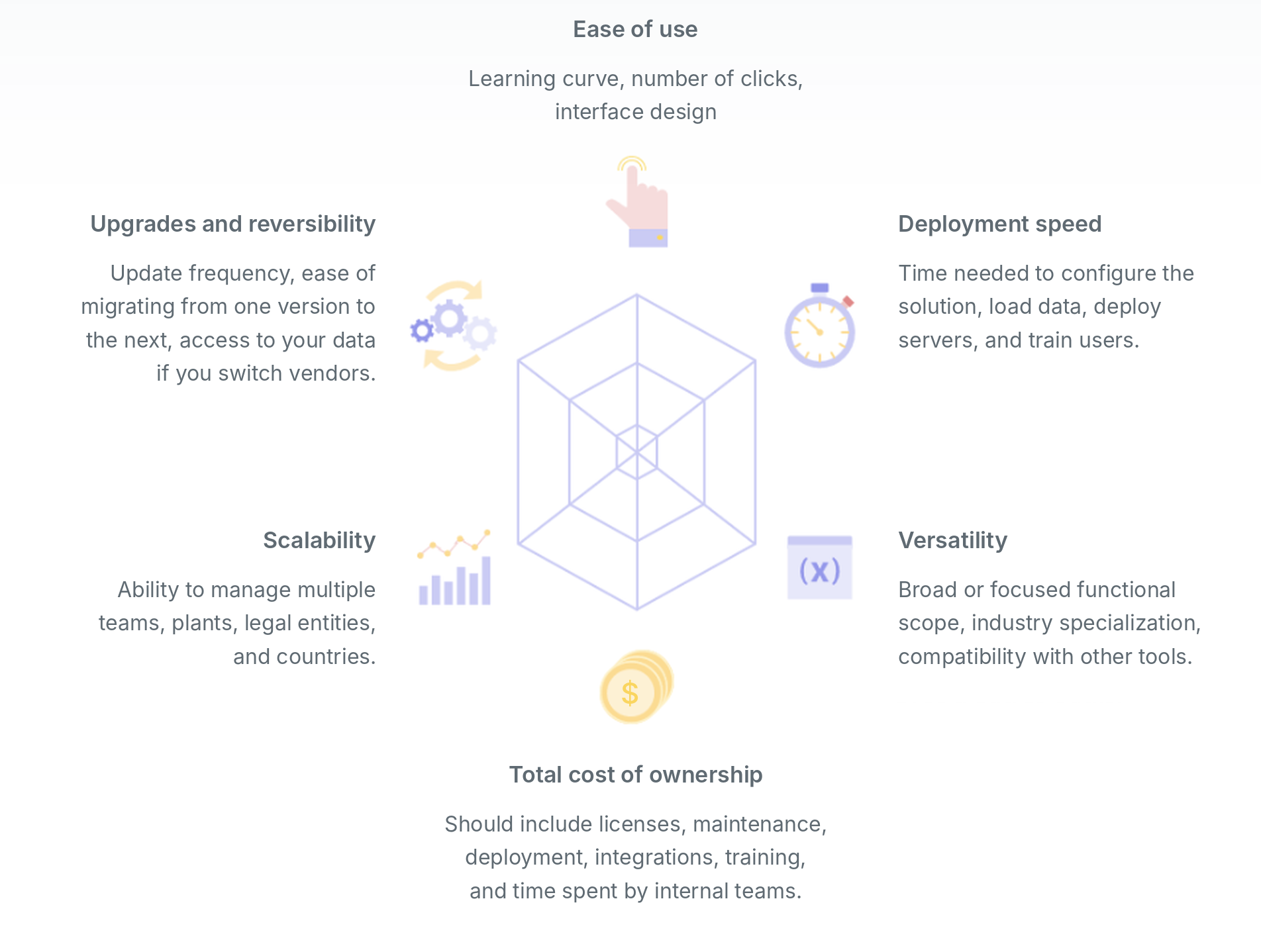
Evaluate the whole PLM project, not just the software. Six core criteria shape every PLM decision, and four more checks complete the picture.
1. Ease of use
Look at the learning curve, the number of clicks needed for everyday tasks, and the overall interface design. If engineers and operators find the tool heavy, they’ll work around it, and you’ll lose the benefits.
2. Deployment speed
Measure the time needed to configure the solution, load your data, deploy servers, and train users. The gap between vendors is huge: some take weeks, others more than a year.
3. Versatility
Check whether the functional scope is broad or focused, whether the vendor specializes in your industry, and how well the PLM works with your other tools.
4. Total cost of ownership
Include every cost, not just licenses: maintenance, deployment, integrations, training, and the time your internal teams spend on the project. Compare over 5 years.
5. Scalability
Make sure the PLM can grow with you: more teams, more plants, more legal entities, more countries. Starting with one team or site and extending gradually is often the safest path.
6. Upgrades and reversibility
Ask how often the software updates, how easy it is to move from one version to the next, and whether you can export all your data if you switch vendors. Reversibility protects you from lock-in.
Four more checks before you sign
- CAD integration: native connectors for your CAD tools (SolidWorks, CATIA, Creo, Inventor, NX) avoid friction from day one.
- ERP and MES integration: synchronized BOMs and item data eliminate double entry and keep engineering aligned with production.
- Hosting and security: cloud or on-premise, data location, certifications such as ISO 27001, and backup policy.
- Vendor support: who configures the system, migrates your data, and trains your teams, the vendor or a third-party integrator?
The weight of each criterion depends on your profile. A local make-to-print manufacturer doesn’t have the same needs as an international group designing complex subassemblies. For small and mid-sized manufacturers, a SaaS solution that’s affordable, quick to deploy, and scalable is usually the smartest path: you get early results and expand the scope step by step. For a broader method, read our 5 key steps to launch your digital transformation.
What are the main types of PLM software
The PLM market falls into three broad categories. This overview isn’t exhaustive, but it covers the options most manufacturers consider.
Enterprise PLM suites
These suites are very complete, highly configurable, and sometimes programmable. Examples include Dassault Systèmes’ ENOVIA and 3DEXPERIENCE, Siemens Teamcenter, PTC Windchill, and Aras Innovator.
- Strengths: they fit multi-site, multilingual organizations with complex product structures.
- Drawbacks: for small and mid-sized manufacturers, they often mean high costs, long deployments (frequently 12 months or more), and a steep learning curve.
Mid-market and cloud PLM
These solutions have a more focused scope, cost less, and deploy in months, not years, which makes them a better fit for small and mid-sized manufacturers. Some specialize by industry, like Centric PLM for retail and fashion or Lascom for food and cosmetics. Others target specific manufacturing profiles, such as electronics manufacturing services, make-to-print suppliers, or special machinery builders. Cloud-native platforms in this category include Aletiq, Arena (PTC), Propel, and Autodesk Fusion Manage (which includes the former Upchain).
Specialized tools
These tools cover one functional block, such as CAD data management or technical documentation. SOLIDWORKS PDM manages 3D models and drawings, and Paligo handles technical documentation. They solve a specific problem well but often leave gaps when you need to manage the full lifecycle.
Why simplicity should be your first PLM criterion
When we launched Aletiq, we interviewed more than 100 manufacturers about their technical data needs. 90 % of them said the same thing: above all, they wanted a simple solution.
At Aletiq, we believe simplicity is the feature that decides whether a PLM succeeds. PLM handles dense, complex information, so a cluttered tool quickly turns into a burden that teams avoid. We build simplicity into three areas:
- Interface design: every feature takes as few clicks as possible, and the interface stays clean despite the density of information.
- Fast onboarding: the software is intuitive enough that users feel comfortable from day one, with no long training program.
- Fast deployment: Aletiq configures the platform and loads your data and documents itself, without a third-party integrator, so your first teams go live in 10 weeks.
Simplicity scales, too. At LISI Aerospace, the first site was operational about 2 months after kickoff, and more than 3,000 users now work on Aletiq across 20 plants in 10 countries.
What a modern PLM platform should offer
Beyond simplicity, these are the capabilities to expect from a PLM built for today’s factories, and how Aletiq delivers them:
- Secure, modern technology: Aletiq is ISO 27001 certified and hosted in a French cloud, with an option to store data on your own servers.
- Transparent SaaS pricing: one subscription covers the software, updates, support, and training, with no hidden costs.
- Full lifecycle coverage: from design to maintenance, so you don’t need to juggle several tools.
- Configurability: workflows and data models adapt to how your company works.
- Integrations: native connections to CAD, ERP, and MES ensure digital continuity and eliminate double entry. Read more about how PLM and ERP complement each other.
How to make the right PLM choice
Assess your needs carefully before you compare vendors. The two classic mistakes: buying a suite too heavy for your organization, or a tool too specialized to grow with you. Weigh every criterion, and calculate the full cost of the project, including training, servers, and implementation, not just license fees.
For a complete view of the market, the solutions, and deployment best practices, download our white paper. Want to see how Aletiq compares against your shortlist? Book a demo.
FAQ
How do I choose PLM software
Start by defining your needs: functional scope, CAD and ERP integrations, number of users and sites, and regulatory requirements. Then compare vendors on ease of use, deployment speed, scalability, reversibility, and total cost of ownership over 5 years, not just license price.
What is the best PLM software for small and mid-sized manufacturers
Small and mid-sized manufacturers usually get the best results from cloud PLM platforms such as Aletiq, Arena, or Propel. They cost less than enterprise suites, get first teams live in 2 to 3 months instead of a year or more, and can scale as needs grow.
What is the difference between PDM and PLM
PDM manages design data, mainly CAD files, drawings, and BOMs. PLM covers the full product lifecycle and connects engineering, manufacturing, quality, and purchasing. Many modern PLMs, including Aletiq, include PDM natively.
How long does it take to implement PLM software
Enterprise PLM suites often take 12 to 18 months to deploy. Cloud PLM platforms typically get first teams operational in 2 to 3 months, depending on data volume and integrations. With Aletiq, first teams go live in about 10 weeks.
How much does PLM software cost
Costs vary widely. Enterprise suites involve licenses, servers, integrator fees, and training, often reaching six figures for mid-sized companies. Cloud PLM uses a subscription model that includes hosting, updates, and support, so total cost of ownership is lower and more predictable.
Should I choose cloud or on-premise PLM
Cloud PLM offers faster deployment, automatic updates, and access from any site, and it’s the pragmatic choice for most manufacturers. On-premise PLM makes sense when regulations or customer contracts require full control over where your data is hosted.


